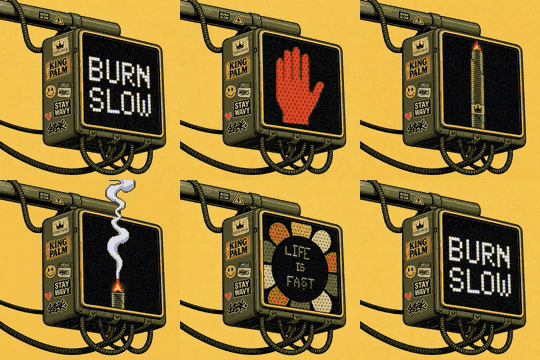
King Palm signature assets
Static host for the images that load inside King Palm email signatures. No build step, no framework.
The image URL
https://sig.kingpalm.com/burn-slow-v1.gif
Paste this into Gmail: Settings, General, Signature, delete the gold logo, click the image button, Web Address (URL). Then click the inserted image and set its width to 94 so it matches the block of text beside it.
How it looks in the signature
|
|
Eddie Luchembe
Director | King Palm
844.452.4448 | kingpalm.com
|
Rendered on a white card because that is the ground almost every mail client paints behind a signature.
The asset
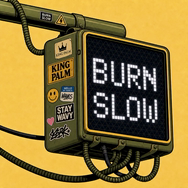
The loop opens on the BURN SLOW panel rather than the red hand. Outlook on Windows does not animate GIFs, it renders the first frame and stops, so the first frame has to carry the message. Still frame if you need a static version.
Adding or changing an asset
- Never overwrite a file that is already live. Images here are served
immutablefor a year, and a signature image sits in mail caches far longer than that. - Add the new file under a new version,
burn-slow-v2.gif, and repoint the signature at it. - Deploy, then check the real URL:
curl -sIfor the status and cache header, and one browser load to confirm it actually animates.